Keurig K40/K45 Elite Brewer: A Comprehensive Manual Guide
This guide provides detailed instructions for setting up, using, and maintaining your Keurig K40/K45 Elite brewer, ensuring optimal performance and longevity.
Welcome to the world of convenient, single-cup brewing with your Keurig K40/K45 Elite Brewer! This model represents a popular choice for coffee enthusiasts seeking a straightforward and efficient brewing experience. This manual is designed to be your comprehensive resource, guiding you through every step – from initial setup and daily operation to essential maintenance procedures.
The Keurig K40/K45 is celebrated for its simplicity and reliability. It allows you to enjoy a fresh, flavorful cup of coffee, tea, or hot cocoa in minutes, utilizing pre-packaged K-Cup pods. Understanding the brewer’s features and following the instructions within this guide will ensure years of satisfying brews. You’ll find detailed information on component identification, cleaning protocols, and troubleshooting tips to address common issues.
Key Features of the K40/K45 Model
The Keurig K40/K45 Elite Brewer boasts several key features designed for user convenience and optimal brewing; Its compact design fits seamlessly into most kitchens, while the simple button controls make operation incredibly intuitive. A standout feature is the ability to brew multiple cup sizes – typically 6oz, 8oz, and 10oz – catering to individual preferences.
This model utilizes Keurig’s K-Cup pod brewing system, offering a vast selection of beverage choices. The removable drip tray accommodates travel mugs, and the water reservoir provides ample capacity for multiple brews. Furthermore, the brewer includes a descaling indicator, prompting timely maintenance for continued peak performance. Its reliable heating system ensures consistently hot water for a flavorful cup every time.
Setting Up Your Keurig K40/K45
Proper setup is crucial for enjoying your Keurig brewer. This section details unboxing, cleaning, priming, and water reservoir preparation for optimal performance.
Unboxing and Component Identification
Upon opening the box, carefully verify all components are present. You should find the Keurig K40/K45 Elite Brewer itself, the removable water reservoir, a K-Cup pod holder (potentially separate), and this owner’s manual. Inspect each item for any shipping damage.
The water reservoir is typically clear, allowing you to easily monitor the water level. The K-Cup pod holder is designed to accommodate standard K-Cup pods. Familiarize yourself with the location of the brew button and the brew size selection options on the control panel. Retain the packaging for potential future transport or warranty claims. A quick inventory ensures a smooth start to your Keurig experience.
Initial Cleaning and Priming
Before your first brew, a thorough cleaning and priming cycle is essential. Remove the water reservoir and wash it with mild dish soap and warm water; rinse completely. Wipe down the exterior of the brewer with a damp cloth. To prime the system, fill the reservoir with fresh water to the maximum fill line.
Place a large mug on the drip tray and run a full brewing cycle without a K-Cup pod. Repeat this process at least twice, discarding the water each time. This flushes out any residual manufacturing debris and ensures optimal flavor in your first cup. Priming prepares the brewer for consistent performance and a delightful brewing experience.
Water Reservoir Setup and Filling
The water reservoir is a crucial component for brewing delicious coffee; Locate the reservoir, typically removable from the back of the Keurig K40/K45. Ensure it’s clean before first use, washing with mild soap and rinsing thoroughly. To fill, detach the reservoir and open the lid. Fill with fresh, filtered water to the desired level, not exceeding the maximum fill line indicated.
Proper water level ensures optimal brewing. Reattach the reservoir securely to the brewer. The machine will not operate if the reservoir isn’t correctly positioned. Regularly check and refill the reservoir for consistent brewing; using filtered water enhances coffee flavor and reduces scale buildup.
Brewing with Your Keurig K40/K45
This section details the simple steps to brew a perfect cup of coffee, from K-Cup insertion to enjoying your beverage with ease.
Inserting a K-Cup Pod
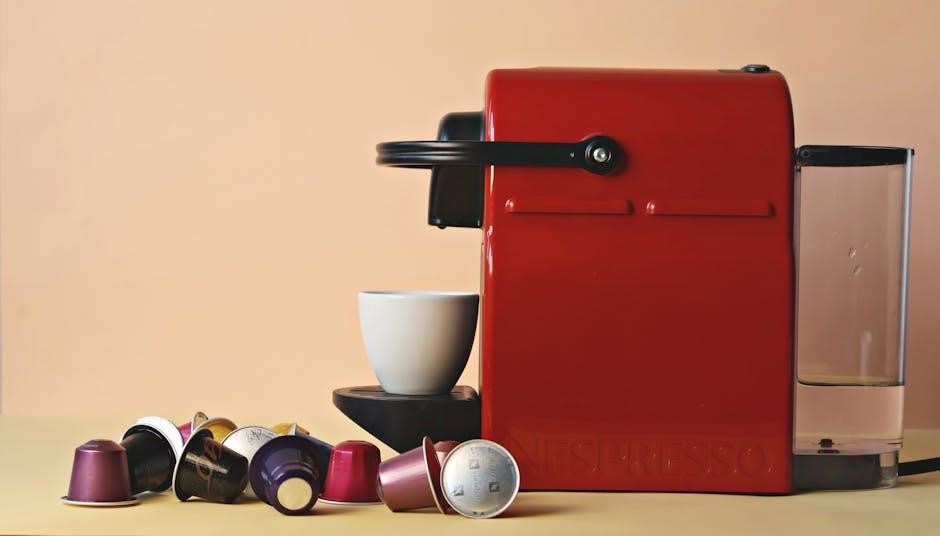
Begin by lifting the handle located on the top of the Keurig K40/K45 brewer. This action will reveal the K-Cup pod holder. Carefully select your desired K-Cup pod, ensuring it is compatible with the Keurig system. Gently place the K-Cup pod into the holder, making sure it sits securely.
Close the handle firmly until it clicks into place. This action pierces the K-Cup pod, preparing it for brewing. It’s crucial to ensure the handle is fully closed to prevent leaks or brewing issues. The brewer will not operate if the handle isn’t securely locked. Always use genuine K-Cup pods for optimal performance and to avoid potential damage to your machine.
Selecting Brew Size
The Keurig K40/K45 offers multiple brew sizes to accommodate different cup sizes and preferences. To select your desired brew size, locate the brew size selection buttons on the control panel. Typically, you’ll find options for 6oz, 8oz, and 10oz cups.
Press the corresponding button to indicate your preferred size. An indicator light will illuminate next to the selected option. Consider the size of your mug when choosing a brew size to prevent overflow or an underfilled cup. For stronger coffee, use a smaller brew size with the same K-Cup pod. Experiment to find your ideal strength and volume!
Starting the Brewing Process
Once the K-Cup pod is inserted and the brew size is selected, you’re ready to begin brewing! Press the large brew button located on the control panel to initiate the brewing cycle. The Keurig will automatically pierce the K-Cup pod and begin heating the water.
The brewer will then pump hot water through the pod, extracting the coffee into your mug. Pay attention to the indicator lights; they’ll signal when the brewing process is underway and when it’s complete. Avoid opening the brewer during the brewing cycle to prevent burns or spills. Once finished, carefully remove your freshly brewed cup and enjoy!

Maintenance and Cleaning
Regular cleaning ensures optimal performance and extends the life of your Keurig. Descaling, exterior wiping, and dishwasher-safe parts are key to upkeep.
Descaling the Brewer
Descaling is crucial for removing mineral buildup that can affect brew quality and brewer performance. Keurig recommends descaling every 3-6 months, depending on water hardness. Begin by emptying the water reservoir and adding a descaling solution – Keurig’s own or a white vinegar and water mixture (follow solution instructions).
Run a full brew cycle without a K-Cup, repeating several times until the reservoir is empty. Then, refill the reservoir with fresh water and run several more brew cycles to rinse thoroughly, ensuring no descaling solution remains. This process removes calcium deposits and restores optimal brewing conditions, guaranteeing a consistently delicious cup of coffee. Ignoring descaling can lead to reduced flow and eventual brewer failure.
Cleaning the Exterior
Maintaining a clean exterior not only enhances the appearance of your Keurig K40/K45 but also contributes to overall hygiene. Regularly wipe down the brewer’s exterior surfaces with a damp, soft cloth. Avoid abrasive cleaners, as they can damage the finish. Pay particular attention to areas prone to spills, such as around the drip tray and K-Cup holder.
The drip tray and K-Cup holder are removable for easier cleaning; wash them with warm, soapy water. Ensure all components are thoroughly rinsed and dried before reassembling. A quick daily wipe-down prevents buildup and keeps your Keurig looking its best. Consistent cleaning promotes a sanitary brewing environment and extends the life of your appliance.
Removable Parts Dishwasher Safety
Several components of your Keurig K40/K45 are dishwasher safe, offering convenient cleaning options. The drip tray, drip tray plate, and K-Cup pod holder can be safely washed on the top rack of your dishwasher. However, it’s crucial to avoid using harsh detergents or abrasive cleaning agents, as these could potentially cause damage.
Before placing these parts in the dishwasher, remove any remaining coffee grounds or debris. While dishwasher safe, handwashing is also a viable option, especially for a more thorough clean. Always ensure all parts are completely dry before reassembling them onto the brewer. Refer to the owner’s manual for a complete list of dishwasher-safe components;

Troubleshooting Common Issues
This section addresses frequent problems with your Keurig K40/K45, including power, heating, and pod-related issues, offering solutions for a seamless brewing experience.
Brewer Not Turning On
If your Keurig K40/K45 fails to power on, begin with the basics. First, ensure the brewer is securely plugged into a functioning electrical outlet. Test the outlet with another device to confirm it’s providing power.
Next, verify the power switch is fully engaged. Sometimes a partial press won’t activate the unit. If still unresponsive, check the water reservoir; the brewer won’t operate without sufficient water.
Consider a reset. Unplug the Keurig for 60 seconds, then plug it back in. This can resolve minor electrical glitches. If the problem persists, consult the full owner’s manual or contact Keurig customer support for further assistance, as it may indicate a more serious internal issue.
Water Not Heating
If your Keurig K40/K45 isn’t heating water, several factors could be at play. First, ensure the unit has been adequately primed – running a few brewing cycles with just water can help. A buildup of mineral scale is a common culprit; descaling is crucial for optimal performance.
Check the water reservoir is properly seated and filled with fresh water. Insufficient water or an improper seal can prevent heating. If descaling doesn’t resolve the issue, a potential internal heating element failure may exist.
Do not attempt to repair the heating element yourself. Contact Keurig customer support for professional diagnosis and repair options. Continuing to use a brewer with a faulty heating element could be dangerous.
K-Cup Pod Issues & Clogging
Encountering issues with K-Cup pods or clogging is relatively common. Ensure you’re using K-Cup pods specifically designed for Keurig brewers. Occasionally, grounds can escape into the brewing chamber, causing blockages. If brewing is slow or stops mid-cycle, this is a likely cause.
Carefully remove the K-Cup pod holder and inspect for any visible grounds or debris. Gently clear any obstructions. Avoid forcing anything, as this could damage the needle assembly. Regular cleaning of the exit needle is vital to prevent buildup.
Never reuse K-Cup pods, as they can contribute to clogging. If problems persist, a more thorough cleaning of the internal components may be necessary.
Safety Precautions
Always follow electrical safety guidelines and exercise caution with hot water and steam. Proper usage and careful handling are essential for safe operation.
Electrical Safety Guidelines
To ensure safe operation, always plug your Keurig K40/K45 into a grounded electrical outlet. Never operate the brewer with a damaged cord or plug; if damaged, discontinue use immediately and contact Keurig customer support.
Avoid using extension cords, but if absolutely necessary, ensure the cord is appropriately rated for the brewer’s wattage. Do not immerse the brewer, cord, or plug in water or other liquids. Unplug the brewer from the outlet when not in use and before cleaning.
Never attempt to repair the Keurig K40/K45 yourself; repairs should only be performed by qualified personnel. Keep the brewer away from heat sources and flammable materials. Regularly inspect the power cord for any signs of wear or damage.
Hot Water & Steam Warnings
Exercise extreme caution when using your Keurig K40/K45, as it dispenses very hot water and produces steam. Avoid touching any hot surfaces, including the brew head and steam vent, during and immediately after brewing.
Keep hands and face away from the steam vent to prevent burns. Never open the brewer’s lid during the brewing cycle, as hot water and steam can escape, causing injury; Allow the brewer to cool down completely before cleaning or handling.
Be mindful of hot water dripping from the K-Cup pod holder after brewing. Supervise children and individuals with limited physical abilities when the brewer is in operation. Always use caution when handling hot beverages.
Proper Usage & Handling
To ensure safe and efficient operation of your Keurig K40/K45, always use it on a stable, level surface. Avoid operating the brewer with a damaged cord or plug, and never immerse it in water or other liquids.
Only use K-Cup pods specifically designed for Keurig brewers. Do not attempt to use reusable filters or other non-approved accessories, as they may damage the machine or void the warranty.
Regularly inspect the brewer for any signs of damage. Unplug the brewer when not in use and before cleaning. Do not disassemble the brewer beyond the removable parts described in this manual. Handle with care to prevent accidental spills or damage.

Understanding the Control Panel
The control panel features intuitive buttons for power, brew size selection, and indicator lights, providing a user-friendly brewing experience with your Keurig.
Power Button Functionality
The Power button on your Keurig K40/K45 initiates the brewing system and activates the heating process. A single press turns the brewer on, indicated by illuminated lights on the control panel. Pressing the Power button again will place the brewer into standby mode, conserving energy while maintaining settings.
It’s important to note that the brewer requires a short warm-up period after being turned on, during which the water heats to the optimal brewing temperature. The indicator lights will signal when the unit is ready for use. If the brewer is left unattended for an extended period, it will automatically enter power-saving mode. Always ensure the brewer is fully powered off when not in use for prolonged durations.
Brew Size Selection Indicators
The Keurig K40/K45 Elite features indicators for selecting your desired brew size. Typically, these are represented by two buttons or illuminated icons – one for a 6oz cup and another for a 10oz cup. Pressing the corresponding button before brewing will signal the machine to dispense the selected amount of water.
These indicators clearly display which brew size is currently chosen. Some models may also include a “Strong” brew option, altering the brew strength rather than the volume. Always verify the selected brew size before initiating the brewing process to avoid unwanted results. Understanding these indicators ensures you consistently brew your coffee to your preferred strength and size.
Indicator Lights & Their Meanings
The Keurig K40/K45 utilizes several indicator lights to communicate the brewer’s status. A solid “Power” light signifies the unit is on and ready. A flashing “Brew” light indicates the brewing cycle is in progress. The “Add Water” light illuminates when the reservoir needs refilling, preventing operation without sufficient water.
A “Descale” light signals the need for descaling, crucial for maintaining optimal performance and preventing mineral buildup. Understanding these lights is vital for troubleshooting and ensuring proper operation. Refer to the full manual for detailed explanations of any additional lights or specific flashing patterns, as these can indicate error states requiring attention.